 48c158bb7e
The built-in AI agent chat over wiki content is fully implemented
(server module, ~40 tools, RAG search, provider settings, external MCP),
so showcase it in both READMEs:

- list AI agent chat among the from-scratch community replacements
- add a "What's different" table row and a dedicated feature section
- move AI chat from the "In progress" roadmap bucket to "Done"
- add it to the Features list
- add docs/screenshots/ai-chat.png and show it in the Screenshots section

Updated in sync in README.md and README.ru.md.
Gitmost
Open-source collaborative wiki and documentation software.
A fully-open community fork of Docmost.
English · Русский
About this fork
Gitmost is a community fork of Docmost, an open-source collaborative wiki and documentation app.
The goal of the fork is a 100% open, AGPL-only build with no Enterprise-Edition (EE) code:
- No EE code at all. All proprietary Enterprise-Edition sources were removed — the private
apps/server/src/eesubmodule, theapps/client/src/eedirectory (201 files) and thepackages/eepackage are gone. There is no license gating: every feature is available to everyone. - Replacements are written from scratch. Features that previously lived behind the enterprise
license (e.g. comment resolution, the AI agent chat, the
/mcpserver) were re-implemented from scratch on top of the community codebase. No EE code is reused, and there is no entitlement/feature-flag wall. - No upsell. There are no "buy a license" / "upgrade to Enterprise" banners, trial nags, or locked-feature placeholders anywhere in the UI.
- Authentication is plain email + password (no SSO/LDAP/cloud/billing flows).
What's different from Docmost
| Change | Details |
|---|---|
| EE code removed | Stripped all client and server Enterprise-Edition code; ships as a clean community/AGPL build with no license checks. |
| Comment resolution | Re-implemented from scratch as a community feature (resolve / re-open with Open/Resolved tabs). No EE code reused, available to anyone who can comment. |
| Embedded MCP server | A community MCP server (@docmost/mcp, 38 tools) is served over HTTP at /mcp — no enterprise license required. Replaces the removed license-gated EE MCP. |
| AI agent chat | Built-in AI agent chat over your wiki, written from scratch as a community feature — no enterprise license. The agent reads and edits pages on your behalf (scoped to your permissions), with full-text + vector (RAG) search and optional web access via external MCP servers. |
| Rebranding | App logo / name changed from Docmost to Gitmost. |
| Compact page tree | Default page-tree indentation reduced from 16px to 8px per nesting level. |
| CI / images | Release CI publishes container images to GHCR (ghcr.io/vvzvlad/gitmost) using the built-in GITHUB_TOKEN instead of Docker Hub. |
Embedded MCP server
Gitmost has our own MCP server — docmost-mcp,
which we wrote — built directly into the app and served at /mcp. It exposes 38
agent-native tools: surgical per-block edits (patch / insert / delete by id),
structure-preserving find/replace, scripted (doc) => doc transforms with a dry-run diff,
structured table editing, version history with diff / restore, comments, images and share
links — all applied through Docmost's real-time-collaboration layer, so a write never
clobbers a concurrent human edit.
Better than Docmost's own MCP. Docmost's built-in MCP is an enterprise feature, and its tools are coarse — read a page as Markdown, create / move / delete pages, replace a whole page. Ours is built around how an agent actually edits: address one block and patch it, or program the change, instead of round-tripping a ~100 KB document through the model on every little fix. And it needs no enterprise license.
Gitmost /mcp (our docmost-mcp) |
Docmost's built-in MCP | |
|---|---|---|
| Enterprise license | Not required | Required |
| Tools | 38, agent-native | Coarse (read Markdown, page CRUD, replace whole page) |
| Per-block edits / find-replace / scripted transforms | ✅ | — |
| Structured table editing, version diff / restore | ✅ | — |
| Comments, images, share links | ✅ | — |
| Safe real-time-collab writes (no clobber) | ✅ | — |
Same server as standalone docmost-mcp — just bundled. This is the exact
docmost-mcp you can also run on its own; embedding
it doesn't make it more capable, you simply don't have to install and run a separate
process. An admin flips one toggle in Workspace settings → AI & MCP and any MCP client
points at ${APP_URL}/mcp.
AI agent chat
Gitmost ships a built-in AI agent chat over your wiki — written from scratch as a community feature, with no enterprise license. Open it from the page header; the agent can read and edit your workspace on your behalf:
- Full read + write toolset (~40 tools). Search and read pages, make surgical per-block and table edits, create / rename / move pages, diff and restore page history, and create / resolve comments — every action runs under your permissions (Docmost CASL), so the agent can never see or change anything you couldn't.
- Safe by design. The agent is given only reversible operations (page history + trash); permanent deletion is never exposed. Agent edits are marked in page history with an "AI agent" badge linking back to the chat.
- Search over your content. Full-text search plus optional vector (RAG) semantic search across pages.
- Web access via external MCP. Admins can connect external MCP servers (e.g. Tavily) to give the agent web search / internet access.
- Bring your own model. Configure the provider (OpenAI, Gemini or Ollama), model and API key in Workspace settings → AI & MCP → AI / Models. The key is encrypted and never leaves the server.
Roadmap
Done
- ✅ MCP server — embedded community MCP server served at
/mcp. - ✅ macOS app — native macOS app (docmost-app) that embeds the UI with multi-server tabs.
- ✅ AI chat — built-in AI agent chat over your wiki content (read + write, RAG search, configurable provider, optional web access via external MCP).
In progress
- 🚧 Git synchronization — two-way sync of pages with a Git repository.
Planned
- 🔭 Templates — reusable page templates.
- 🔭 Viewer comments — let read-only viewers leave comments.
- 🔭 Password-protected pages — protect individual pages / shares with a password.
- 🔭 Windows / Linux app — native desktop app for Windows and Linux.
- 🔭 Mobile app — native mobile application.
- 🔭 Offline mode — offline sync & PWA support.
- 🔭 Editor & UX improvements — blocks inside tables (lists, to-do items), column layout, additional heading levels, highlight blocks, custom emoji in callouts, floating images, anchor links for page mentions, toggles (shared-page width, aside/sidebar, spellcheck, ligatures), sanitized space-tree export, and mentions in breadcrumbs.
Getting started
Gitmost follows the upstream Docmost setup. See the Docmost
documentation for self-hosting and development instructions; replace the
docmost/docmost image with ghcr.io/vvzvlad/gitmost where applicable.
Features
- Real-time collaboration
- Diagrams (Draw.io, Excalidraw and Mermaid)
- Spaces
- Permissions management
- Groups
- Comments (with resolve / re-open)
- Page history
- Search
- File attachments
- Embeds (Airtable, Loom, Miro and more)
- Translations (10+ languages)
- Embedded MCP server (
/mcp) - AI agent chat over your wiki (read + write, RAG search, external MCP / web access)
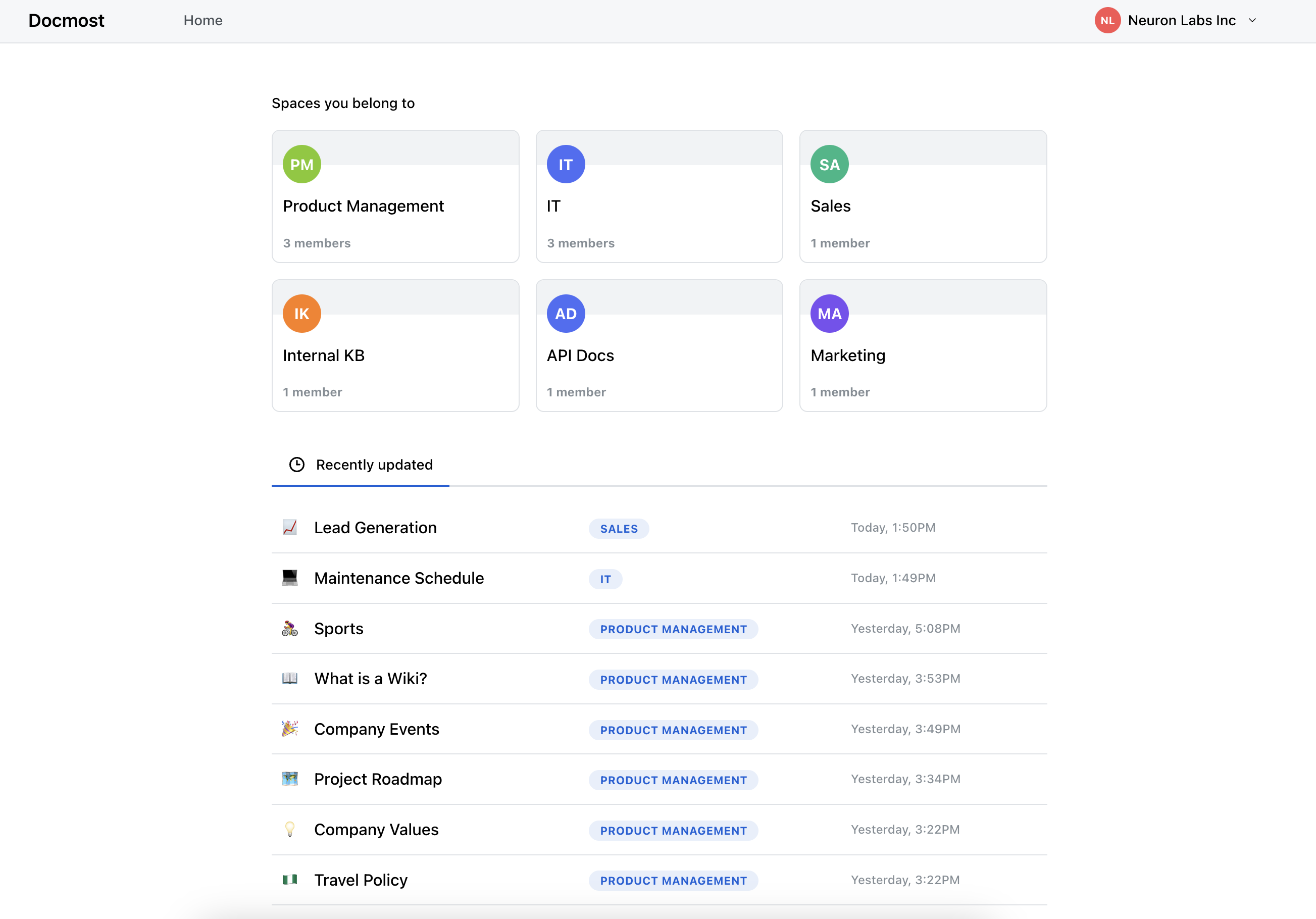
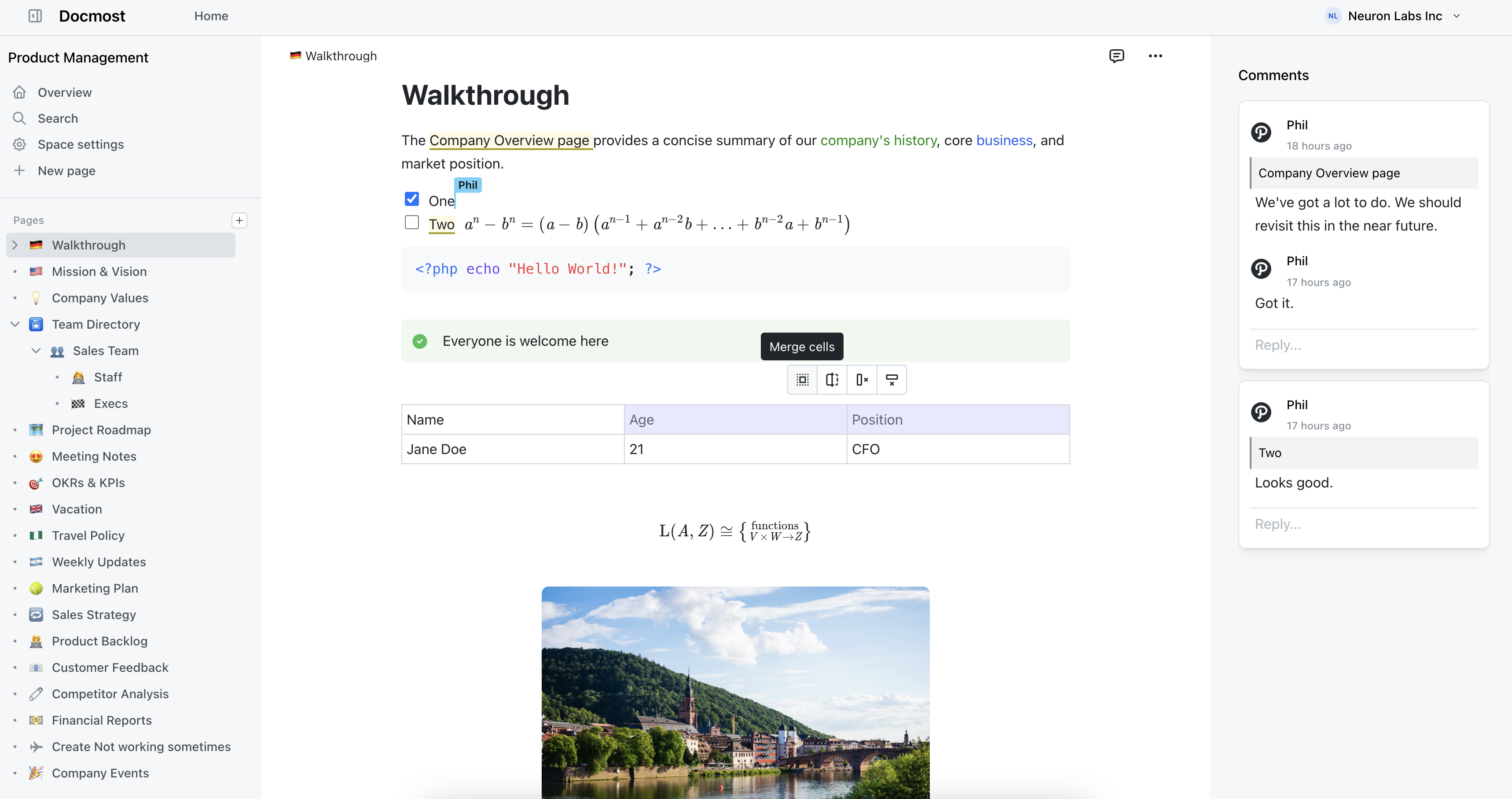
Screenshots

License
Gitmost is licensed under the open-source AGPL 3.0 license.
Unlike upstream Docmost, this fork contains no Enterprise-Edition code — the apps/server/src/ee,
apps/client/src/ee and packages/ee directories have been removed, so there are no files governed
by an enterprise license.
Credits
Gitmost is based on Docmost by the Docmost team. Huge thanks to them for the original open-source project.
Crowdin for providing access to their localization platform.
Algolia for providing full-text search to the docs.