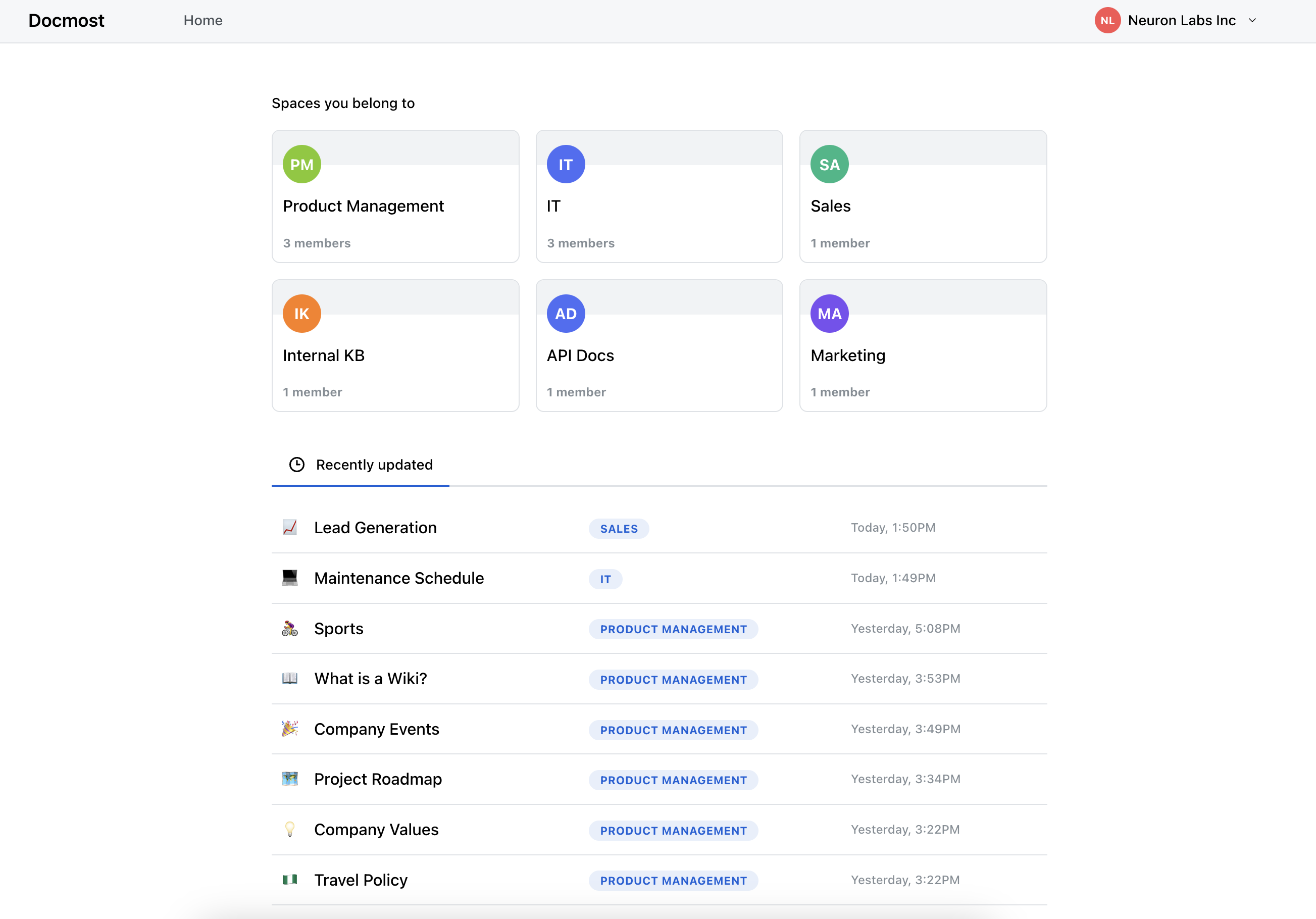
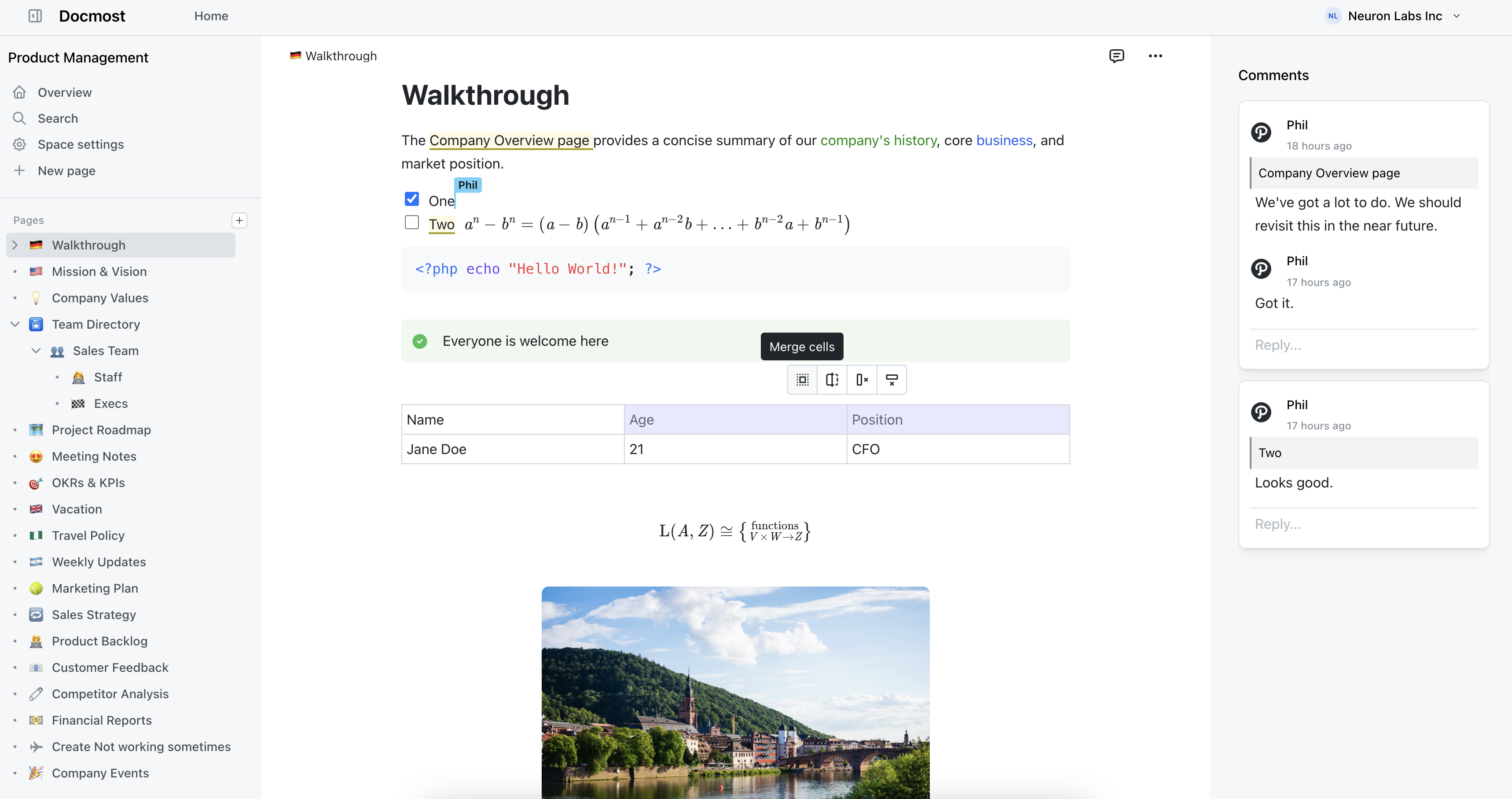
Open-source collaborative wiki and documentation software.
A fully-open community fork of Docmost.
**English** · [Русский](README.ru.md)
## About this fork
**Gitmost** is a community fork of [Docmost](https://github.com/docmost/docmost), an open-source
collaborative wiki and documentation app.
The goal of the fork is a **100% open, AGPL-only build with no Enterprise-Edition (EE) code**:
- **No EE code at all.** All proprietary Enterprise-Edition sources were removed — the private
`apps/server/src/ee` submodule, the `apps/client/src/ee` directory (201 files) and the
`packages/ee` package are gone. There is no license gating: every feature is available to everyone.
- **Replacements are written from scratch.** Features that previously lived behind the enterprise
license (e.g. comment resolution, the AI agent chat, the `/mcp` server) were re-implemented from
scratch on top of the community codebase. No EE code is reused, and there is no
entitlement/feature-flag wall.
- **No upsell.** There are no "buy a license" / "upgrade to Enterprise" banners, trial nags, or
locked-feature placeholders anywhere in the UI.
- Authentication is plain email + password (no SSO/LDAP/cloud/billing flows).
## What's different from Docmost
| Change | Details |
| --- | --- |
| **EE code removed** | Stripped all client and server Enterprise-Edition code; ships as a clean community/AGPL build with no license checks. |
| **Comment resolution** | Re-implemented from scratch as a community feature (resolve / re-open with Open/Resolved tabs). No EE code reused, available to anyone who can comment. |
| **Embedded MCP server** | A community MCP server (`@docmost/mcp`, 40 tools) is served over HTTP at `/mcp` — no enterprise license required. Replaces the removed license-gated EE MCP. |
| **AI agent chat** | Built-in AI agent chat over your wiki, written from scratch as a community feature — no enterprise license. The agent reads and edits pages on your behalf (scoped to your permissions), with full-text + vector (RAG) search and optional web access via external MCP servers. |
| **Rebranding** | App logo / name changed from *Docmost* to *Gitmost*. |
| **Compact page tree** | Default page-tree indentation reduced from 16px to 8px per nesting level. |
| **Persistent page-tree state** | The sidebar page tree remembers which nodes you expanded/collapsed across reloads — saved in the browser (localStorage), scoped per workspace + user so accounts sharing a browser don't clash. Upstream Docmost forgets the tree on every reload. |
| **CI / images** | Release CI publishes container images to GHCR (`ghcr.io/vvzvlad/gitmost`) using the built-in `GITHUB_TOKEN` instead of Docker Hub. |
### Embedded MCP server
Gitmost has **our own MCP server** — [docmost-mcp](https://github.com/vvzvlad/docmost-mcp),
which we wrote — **built directly into the app** and served at `/mcp`. It exposes **40
agent-native tools**: surgical per-block edits (patch / insert / delete by id),
structure-preserving find/replace, scripted `(doc) => doc` transforms with a dry-run diff,
structured table editing, version history with diff / restore, comments, images and share
links — all applied through Docmost's real-time-collaboration layer, so a write never
clobbers a concurrent human edit.
**Better than Docmost's own MCP.** Docmost's built-in MCP is an enterprise feature, and its
tools are coarse — read a page as Markdown, create / move / delete pages, replace a whole
page. Ours is built around how an agent actually edits: address one block and patch it, or
*program* the change, instead of round-tripping a ~100 KB document through the model on
every little fix. And it needs no enterprise license.
| | **Gitmost `/mcp` (our docmost-mcp)** | Docmost's built-in MCP |
| --- | :---: | :---: |
| **Enterprise license** | Not required | Required |
| **Tools** | 40, agent-native | Coarse (read Markdown, page CRUD, replace whole page) |
| **Per-block edits / find-replace / scripted transforms** | ✅ | — |
| **Structured table editing, version diff / restore** | ✅ | — |
| **Comments, images, share links** | ✅ | — |
| **Safe real-time-collab writes (no clobber)** | ✅ | — |
**Same server as standalone docmost-mcp — just bundled.** This is the exact
[docmost-mcp](https://github.com/vvzvlad/docmost-mcp) you can also run on its own; embedding
it doesn't make it more capable, you simply don't have to install and run a separate
process. An admin flips one toggle in **Workspace settings → AI** and any MCP client
points at `${APP_URL}/mcp`.
### AI agent chat
Gitmost ships a **built-in AI agent chat** over your wiki — written from scratch as a
community feature, with no enterprise license. Open it from the page header; the agent can
**read and edit** your workspace on your behalf:
- **Full read + write toolset (~40 tools).** Search and read pages, make surgical per-block
and table edits, create / rename / move pages, diff and restore page history, and create /
resolve comments — every action runs under *your* permissions (Docmost CASL), so the agent
can never see or change anything you couldn't.
- **Safe by design.** The agent is given only **reversible** operations (page history +
trash); permanent deletion is never exposed. Agent edits are marked in page history with an
"AI agent" badge linking back to the chat.
- **Search over your content.** Full-text search plus optional vector (RAG) semantic search
across pages.
- **Web access via external MCP.** Admins can connect external MCP servers (e.g. Tavily) to
give the agent web search / internet access.
- **Bring your own model.** Configure an OpenAI-compatible endpoint — OpenAI, OpenRouter, a
local Ollama, or any self-hosted server — plus the model and API key in
**Workspace settings → AI**. The key is encrypted and never leaves the server.
## Roadmap
### Done
- ✅ **MCP server** — embedded community MCP server served at `/mcp`.
- ✅ **macOS app** — native macOS app ([gitmost-app](https://github.com/vvzvlad/gitmost-app)) that embeds the UI with multi-server tabs.
- ✅ **AI chat** — built-in AI agent chat over your wiki content (read + write, RAG search, configurable provider, optional web access via external MCP).
- ✅ **Voice dictation** — microphone button in the AI agent chat and the page editor; audio is transcribed server-side (Whisper / OpenAI-compatible STT) via the workspace AI provider, with an admin toggle to show/hide it.
- ✅ **Page templates** — flag a page as a template and embed its whole content live into other pages; edits to the template propagate to every place it is inserted (whole-page transclusion on top of the existing synced blocks).
- ✅ **Public-share AI assistant** — anonymous visitors of a shared page can ask the AI agent, scoped strictly to that share's page tree (read-only, share-scoped search), behind a workspace toggle.
- ✅ **Footnotes** — academic-style footnotes: a numbered superscript reference inline (read it in place via a hover popover), with the note text living as a real, editable block at the bottom of the page; auto-numbered, collaboration-safe, and round-trips through Markdown export/import and the AI agent / MCP.
- ✅ **Temporary notes** — create a note as temporary and it auto-moves to Trash after a configurable per-workspace lifetime (default 24h) unless made permanent first; create one in a click from the Home screen, any space overview.
### In progress
- 🚧 **Git synchronization** — two-way sync of pages with a Git repository.
### Planned
- 🔭 **Viewer comments** — let read-only viewers leave comments.
- 🔭 **Password-protected pages** — protect individual pages / shares with a password.
- 🔭 **Windows / Linux app** — native desktop app for Windows and Linux.
- 🔭 **Mobile app** — mobile apps (iOS first, Android to follow), reusing the existing responsive web UI and editor via a Capacitor wrapper, with offline planned for later. See [issue #195](https://gitea.vvzvlad.xyz/vvzvlad/gitmost/issues/195).
- 🔭 **Offline mode** — offline sync & PWA support.
- 🔭 **Editor & UX improvements** — blocks inside tables (lists, to-do items), column layout, additional heading levels, highlight blocks, custom emoji in callouts, floating images, anchor links for page mentions, toggles (shared-page width, aside/sidebar, spellcheck, ligatures), sanitized space-tree export, and mentions in breadcrumbs.
## Getting started
Gitmost follows the upstream Docmost setup. See the Docmost
[documentation](https://docmost.com/docs) for self-hosting and development instructions; replace the
`docmost/docmost` image with `ghcr.io/vvzvlad/gitmost` where applicable.
### Reverse proxy: SSE streaming paths
The AI agent streams its answers over Server-Sent Events. These endpoints produce a
long-lived `text/event-stream` response and **must bypass response buffering AND response
compression** at every proxy in front of the app:
- `POST /api/ai-chat/stream` — the live agent turn stream
- `GET /api/ai-chat/runs//stream` — attach/resume of a detached agent run
(`AI_CHAT_RESUMABLE_STREAM`)
- `POST /api/shares/ai/stream` — the anonymous public-share assistant
A buffering or compressing proxy does not break these with an error — it silently ruins them:
the request hangs in `pending`, tokens stop streaming and arrive in one burst when the turn
ends, or a reloaded tab falls back to coarse polling. The tell in DevTools is a
`Content-Encoding: gzip/zstd` response header on a `text/event-stream` response.
The server already sends `X-Accel-Buffering: no` (honored by nginx unless ignored), but
compression middleware is applied by proxy configuration, not headers:
- **nginx** — `proxy_buffering off; proxy_cache off; gzip off;` for these locations, e.g.
`location ~ ^/api/(ai-chat/(stream$|runs/.+/stream$)|shares/ai/) { ... }`
- **Traefik** — route these paths through a dedicated router **without** the `compress`
middleware (a `compress` middleware buffers SSE frames until the response closes), e.g.
``PathPrefix(`/api/ai-chat/stream`) || PathPrefix(`/api/ai-chat/runs/`)``. Belt-and-braces:
`traefik.http.middlewares..compress.excludedcontenttypes: text/event-stream`.
## Migration from Docmost
Gitmost's database schema is a **strict superset** of Docmost's. Every Gitmost-specific migration
only **adds** new tables (`page_embeddings`, `ai_chats`, `ai_chat_messages`,
`ai_provider_credentials`, `ai_mcp_servers`) and **nullable** columns — it never drops or rewrites
existing Docmost data. Migrations run automatically on startup, so migrating an existing Docmost
instance is essentially **two image swaps**.
The only hard requirement is the database image: the AI agent's RAG storage needs the
[pgvector](https://github.com/pgvector/pgvector) extension (`CREATE EXTENSION vector`), which the
stock `postgres` image does not ship. Swap it for `pgvector/pgvector:pgNN` — the same vanilla
Postgres plus pgvector bundled, built on the official `postgres` image and fully data-compatible
with it.
### From a current Docmost on Postgres 18
If your Docmost already runs `postgres:18`, it's a clean **in-place** swap — no dump/restore needed,
the existing data directory is reused as-is:
```diff
services:
docmost:
- image: docmost/docmost:latest
+ image: ghcr.io/vvzvlad/gitmost:latest
...
db:
- image: postgres:18
+ image: pgvector/pgvector:pg18
```
`APP_SECRET`, `DATABASE_URL`, `REDIS_URL` and the storage volume stay unchanged. On the first
start the new migrations apply on top of your existing schema (`CREATE EXTENSION vector` plus the
`page_embeddings` and AI tables); watch the logs for `Migration "..." executed successfully`.
> ⚠️ **Never change `APP_SECRET` after setup.** It does double duty: it signs JWTs *and* derives the
> AES-256-GCM key that encrypts stored AI-provider credentials (API keys). Rotating it makes every
> saved AI API key undecryptable (you'd have to re-enter them in AI settings) and invalidates all
> existing sessions. Pick it once, keep it stable, and back it up together with your database.
### Notes
- **Back up first.** Take a `pg_dump` before swapping — migrations apply in place, and the
container exits if a migration fails.
- **Volume layout is identical.** `pgvector/pgvector` is built on the official `postgres` image and
uses the same `PGDATA`, so keep your existing data volume and its mount path unchanged — the swap
reuses the directory as-is.
- **Match the Postgres major.** A Postgres data directory is not compatible across major versions.
If your Docmost runs an older major (e.g. Postgres 16), use the matching `pgvector/pgvector:pg16`
to keep the in-place swap, or move the data with `pg_dump` / `pg_restore` into the new instance.
- **Managed Postgres.** If you don't use the bundled `db` container, make sure pgvector is available
and your database role is allowed to run `CREATE EXTENSION vector`.
- **AI is opt-in.** The `page_embeddings` table stays empty until you configure an AI provider;
existing pages are indexed on their next edit. pgvector is still required for the migration to
apply at all.
## Local embeddings server
The AI agent's semantic (RAG) search needs an **embeddings model**. Instead of paying a cloud
provider (e.g. OpenAI `text-embedding-3-*`) to embed every page, you can run a small open-weights
model yourself with Hugging Face
[Text Embeddings Inference](https://github.com/huggingface/text-embeddings-inference) (TEI), which
serves an OpenAI-compatible `/v1/embeddings` endpoint. `intfloat/multilingual-e5-small` is a good
default: multilingual, 384-dim, and comfortable on CPU (~1–2 GB RAM, 1–2 vCPU). Point Gitmost at it
under **Workspace settings → AI → Embeddings**.
### Option A — local (same Docker network as Gitmost)
Run TEI as a container on the network Gitmost is already on. The port is never published, so the
endpoint stays internal and needs no authentication.
```yaml
services:
embeddings:
image: ghcr.io/huggingface/text-embeddings-inference:cpu-1.9 # pin version; use a cuda-* tag for GPU
container_name: embeddings
restart: unless-stopped
networks:
- gitmost_net # same network Gitmost is on
command:
- "--model-id"
- "intfloat/multilingual-e5-small"
- "--auto-truncate" # clamp over-long inputs instead of returning 413
volumes:
- tei-models:/data # weights are downloaded once and cached here
networks:
gitmost_net:
external: true # the network Gitmost already uses
volumes:
tei-models:
```
Gitmost settings (**Workspace settings → AI → Embeddings**):
| Field | Value |
|-------------------|-----------------------------------|
| Model | `intfloat/multilingual-e5-small` |
| Base URL | `http://embeddings:80/v1/` |
| Embedding API key | — (leave empty) |
> `embeddings` is the container name — Gitmost resolves it over DNS inside the Docker network.
> The port is not published, so the endpoint is reachable only by containers on that network and
> no authorization is required.
### Option B — separate host (public via Traefik + Let's Encrypt)
This assumes the host already runs Traefik with an ACME resolver (the example below uses
`letsEncrypt`, the `websecure` entrypoint and a shared `docker_main_net` network). Replace the
domain / network / resolver with your own.
**DNS:** add an A record `embeddings.example.com` → the IP of your Traefik host (same
challenge / port 80 as the rest of your sites).
```yaml
services:
embeddings:
image: ghcr.io/huggingface/text-embeddings-inference:cpu-1.9 # pin version; cuda-* tag for GPU
container_name: embeddings
restart: unless-stopped
networks:
- docker_main_net # the network Traefik is attached to
command:
- "--model-id"
- "intfloat/multilingual-e5-small"
- "--auto-truncate"
- "--api-key"
- "sk-emb-REPLACE_WITH_YOUR_KEY"
volumes:
- tei-models:/data
labels:
traefik.enable: "true"
traefik.http.routers.embeddings.rule: "Host(`embeddings.example.com`)"
traefik.http.routers.embeddings.entrypoints: "websecure"
traefik.http.routers.embeddings.tls: "true"
traefik.http.routers.embeddings.tls.certresolver: "letsEncrypt"
traefik.http.routers.embeddings.service: "embeddings"
traefik.http.services.embeddings.loadbalancer.server.port: "80"
# TEI enforces the Bearer key itself; Traefik only rate-limits to protect the CPU
traefik.http.routers.embeddings.middlewares: "embeddings-rl"
traefik.http.middlewares.embeddings-rl.ratelimit.average: "20"
traefik.http.middlewares.embeddings-rl.ratelimit.burst: "40"
traefik.http.middlewares.embeddings-rl.ratelimit.period: "1s"
networks:
docker_main_net:
external: true
volumes:
tei-models:
```
Gitmost settings (**Workspace settings → AI → Embeddings**):
| Field | Value |
|-------------------|---------------------------------------|
| Model | `intfloat/multilingual-e5-small` |
| Base URL | `https://embeddings.example.com/v1/` |
| Embedding API key | your `sk-emb-…` |
Check it from outside:
```bash
curl -s https://embeddings.example.com/v1/embeddings \
-H "Authorization: Bearer sk-emb-REPLACE_WITH_YOUR_KEY" \
-H "Content-Type: application/json" \
-d '{"model":"intfloat/multilingual-e5-small","input":"query: hello"}' \
| python3 -c 'import sys,json;print("dims:",len(json.load(sys.stdin)["data"][0]["embedding"]))'
# -> dims: 384
```
### Embeddings server notes
- **Vector dimension is 384.** If this Gitmost was previously embedded with a different model
(e.g. `text-embedding-3-large` = 3072-dim), the old pgvector rows won't match the new dimension —
clear the existing embeddings / re-index before switching. Gitmost only compares vectors of the
same dimension, so mixed-dimension rows are silently ignored rather than searched.
- **First start downloads the weights** (hundreds of MB) from `huggingface.co` into the
`tei-models` volume; every start after that reads from the volume.
- **Pin the version.** Pin the image, and optionally the model: add `--revision ` to
`command` (the sha is on the model's page on Hugging Face).
- **Air-gapped / no egress:** seed the `tei-models` volume ahead of time and add
`environment: [HF_HUB_OFFLINE=1]`.
- **GPU:** use the cuda tag of the same release (e.g.
`ghcr.io/huggingface/text-embeddings-inference:cuda-1.9`) and start the container with `gpus: all`.
## Features
- Real-time collaboration
- Diagrams (Draw.io, Excalidraw and Mermaid)
- Spaces
- Permissions management
- Groups
- Comments (with resolve / re-open and hover tooltips showing the comment text)
- Page history
- Search
- File attachments
- Embeds (Airtable, Loom, Miro and more)
- Translations (10+ languages)
- Embedded MCP server (`/mcp`)
- AI agent chat over your wiki (read + write, RAG search, external MCP / web access); the chat window docks into the side menu, and the agent is told about your in-page edits between turns
- Code-block buttons as an overlay, with the language selector revealed on hover
- Stress-accent button (U+0301) in the bubble menu
- Reading scroll position restored on reload
### Screenshots
### License
Gitmost is licensed under the open-source AGPL 3.0 license.
Unlike upstream Docmost, this fork contains **no Enterprise-Edition code** — the `apps/server/src/ee`,
`apps/client/src/ee` and `packages/ee` directories have been removed, so there are no files governed
by an enterprise license.
### Credits
Gitmost is based on [Docmost](https://github.com/docmost/docmost) by the Docmost team. Huge thanks to
them for the original open-source project.
[Crowdin](https://crowdin.com/) for providing access to their localization platform.
[Algolia](https://www.algolia.com/) for providing full-text search to the docs.